Hello world
This page runs one program that prints Hello, world! from a sandbox.
The program is the same wherever the sandbox runs; only the line that makes the client changes.
Install
pip install virtxnpm install @brekkylab/virtxcargo add virtxcargo add tokio --features macros,rt-multi-threadThe program
It pulls alpine, boots a sandbox from it, runs echo in it, prints what it wrote, and removes the sandbox.
As written, it starts a server on your machine with Client.spawn(); Run it shows the line for each kind of server.
import asyncio
from virtx import Client

async def main() -> None:    async with Client.spawn() as client:        await client.pull_image("alpine:latest").complete()        sandbox = await client.create_sandbox("alpine:latest")        try:            await sandbox.exec(["echo", "Hello, world!"]).complete(print=True)        finally:            await sandbox.remove()

asyncio.run(main())
const { Client } = require('@brekkylab/virtx')
async function main() { const client = Client.spawn() try { await client.pullImage('alpine:latest').complete() const sandbox = await client.createSandbox('alpine:latest') try { await sandbox.exec(['echo', 'Hello, world!']).complete({ print: true }) } finally { await sandbox.remove() } } finally { await client.close() }}
main()use virtx::{Client, SandboxCreateArgs, SandboxExecArgs};
#[tokio::main]async fn main() -> Result<(), Box<dyn std::error::Error>> { let client = Client::spawn_virtx([] as [&str; 0]).await?; client.pull_image("alpine:latest", None).complete(false).await?; let sandbox = client .create_sandbox(&SandboxCreateArgs::new("alpine:latest")) .await?; sandbox.exec(&SandboxExecArgs::new(["echo", "Hello, world!"])).complete(true).await?; sandbox.remove().await?; Ok(())}It prints:
Hello, world!Run it
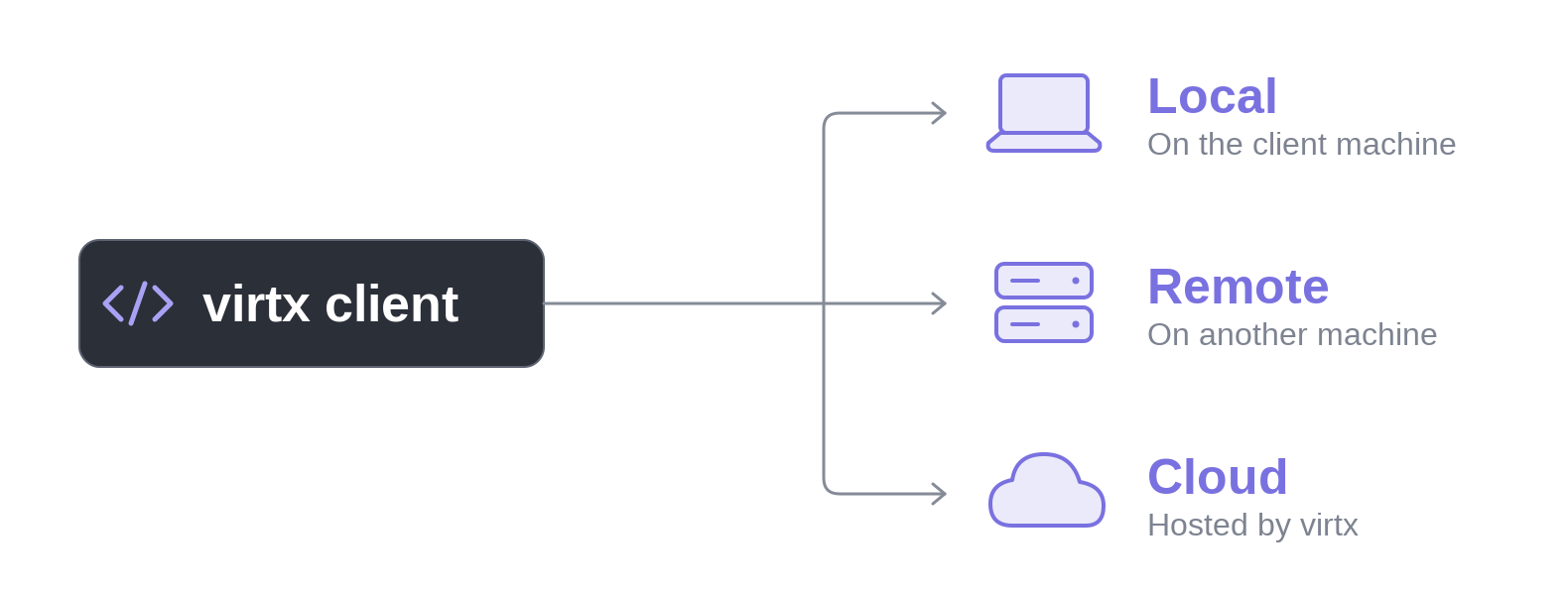
The program is a client, and it needs a server to run the sandbox on. Pick one:
- virtx cloud, hosted for you.
- A server on your machine, which the client starts itself.
- A server you run on another machine.
virtx cloud
Sign in to the console with Google, and make an API key in a project: every organization has one named default.
The console shows the key once. Put it in the environment:
export VIRTX_API_KEY=vx_sk_...Then, in the program, connect to virtx cloud with the key in place of Client.spawn():
import os
from virtx import BearerAuth
async with Client.connect(    "https://cloud.virtx.sh",    BearerAuth(os.environ["VIRTX_API_KEY"]),) as client:
const client = Client.connect( 'https://cloud.virtx.sh', { type: 'bearer', token: process.env.VIRTX_API_KEY })use virtx::Auth;
let client = Client::connect( "https://cloud.virtx.sh", Auth::Bearer { token: std::env::var("VIRTX_API_KEY")? }, None, [] as [(&str, &str); 0],)?;The key is its project’s, so the program names no project, and cloud.virtx.sh answers from the region of virtx cloud nearest the machine it runs on.
On your machine (stdio)
Run the program as written.
Client.spawn() starts a server as a child process of your program, talks to it over its stdin and stdout, and stops it when the client closes, so there is nothing to install or keep running.
Your machine must meet the requirements for running VMs.
On your own server (TCP)
Set up virtx-server-tcp on a machine of yours, as Running your own server shows.
Sign in to it once with the virtx command, which uvx or npx runs without installing; to install it instead, see Installing:
uvx virtx login https://virtx.example                 # pipx run virtx, without uv
# or
npx -y @brekkylab/virtx login https://virtx.example
Then, in the program, connect with the token it prints in place of Client.spawn():
from virtx import CommandAuth
async with Client.connect(    "https://virtx.example",    CommandAuth("uvx", ("virtx", "token", "--json")),) as client:
const client = Client.connect( 'https://virtx.example', { type: 'command', program: 'npx', args: ['-y', '@brekkylab/virtx', 'token', '--json'] })use virtx::Auth;
let client = Client::connect( "https://virtx.example", Auth::Command { program: "uvx".into(), args: vec!["virtx".into(), "token".into(), "--json".into()] }, None, [] as [(&str, &str); 0],)?;virtx token gives the token, refreshed as needed; see the CLI’s Signing in.
Next
- Running commands: how the command above is run, followed, and stopped.
- Mounting volumes: keep what a sandbox writes for the next one.