TL;DR
- A container shares the host’s kernel, so one kernel bug can reach every container on that machine.
- A microVM runs its own guest kernel behind a hypervisor, so an escape has to cross a second boundary before it touches the host.
- Containers start faster and pack denser, which makes them a sound default for code you wrote and trust.
- Code from customers or AI agents is the case where the extra boundary pays for itself.
- A microVM does not protect what you hand it, such as a shared host folder or open network access.
Every program on a server runs on top of a kernel, the core piece of an operating system that decides what a program may touch. Isolation tools differ in how many programs share that one kernel, and that single choice sets how much damage a misbehaving program can do.
This post compares containers and microVMs on one question: what stands between a hostile program and the rest of the machine. You will learn where each boundary sits, what a break-out has to cross, and how to pick one based on who wrote the code.
Where the boundary sits inside a container versus a microVM
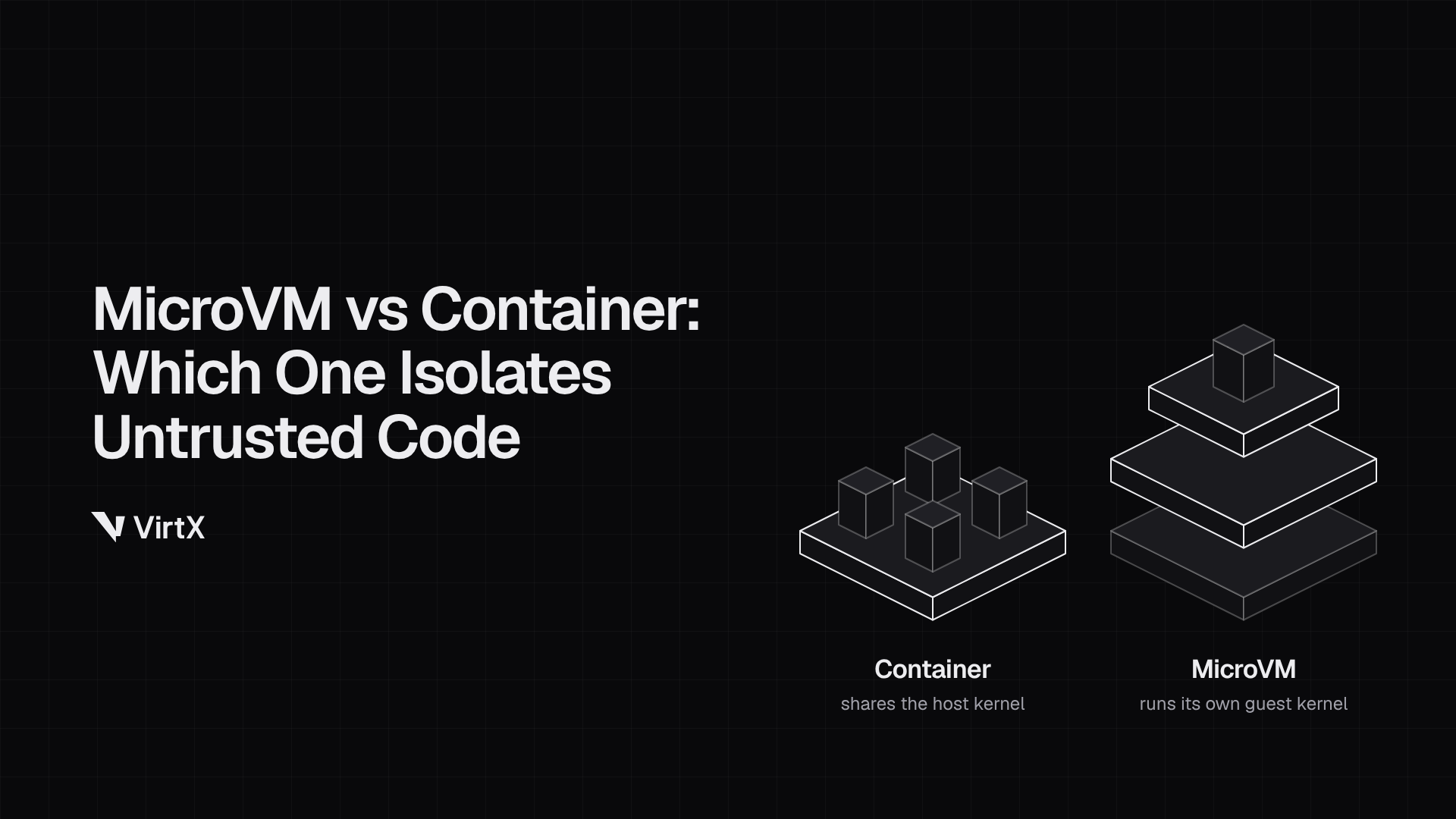
A container is an ordinary process that the Linux kernel fences in, so it runs on the same kernel as the host and every other container. A microVM is a small virtual machine with a kernel of its own, and a hypervisor, the software layer that runs virtual machines, stands between that kernel and the host.
The fence around a container comes from three kernel features:
- Namespaces give a process its own view of things such as process IDs, network interfaces and mount points.
- Control groups (cgroups) cap how much CPU and memory the process may use.
- Capabilities split root’s powers into small pieces, so a container can start without most of them.
Docker’s security guide lists the same pieces: namespaces as the first form of isolation, control groups as a defence against denial-of-service attacks that do not stop one container from reaching another’s data, and most Linux capabilities dropped by default. All three live inside the host kernel, and because every container calls that same kernel, a kernel-level vulnerability affects all of them.
A microVM follows the virtual machine model instead. Firecracker is a microVM monitor that AWS developed to speed up services like Lambda and Fargate, and it leaves out unnecessary devices to shrink each microVM’s memory footprint and attack surface. The next section follows an attacker through each design.
What a hostile script has to cross to reach the host
Suppose we have a platform team at a mid-size fintech that lets customers upload data-cleaning scripts and runs them on shared servers. One customer uploads a script written to break out. The two lists below follow it.
Inside a container
- The script runs as a process on the shared host kernel, fenced in by namespaces and cgroups.
- It calls into the kernel through system calls, the requests a program sends to the kernel, and looks for one that the kernel or the container runtime mishandles.
- A flaw hands it the host’s authority.
- Every other customer’s container on that server sits within reach.
Both layers have shipped such flaws. runc, an open-source container runtime, carried CVE-2024-21626 in versions 1.0.0-rc93 through 1.1.11, and a crafted image could give a container process access to the host filesystem. Dirty Pipe, a bug in Linux 5.8 and later, let an unprivileged process overwrite data in read-only files. A container sits above the kernel, so its fence cannot repair a flaw in the kernel itself.
Inside a microVM
- The script runs against a guest kernel that belongs to that one VM.
- Taking over that kernel leaves it inside a virtual machine, with the hypervisor still standing between it and the host.
- The next step needs a flaw in the hypervisor or in a virtual device that the VM monitor emulates.
- The other customers’ VMs run on kernels of their own, so the first VM’s kernel gives the script no route to them.
Flaws exist at this boundary too. VENOM, disclosed in May 2015, let code in a guest escape through QEMU’s virtual floppy disk controller and run code on the host. Almost no cloud workload needs a floppy controller, monitors built for cloud work, such as Cloud Hypervisor, list minimal emulation and a small attack surface among their goals.
A hypervisor is software too, so this boundary offers a smaller target than a container’s and can still be broken. The table lines up what each design puts between the script and the host.
| Question | Container | MicroVM |
|---|---|---|
| What the script talks to | The host kernel | Its own guest kernel |
| What an escape has to break | The kernel or the container runtime | The guest kernel, then the hypervisor or a virtual device |
| Work at start | Start a process | Boot a kernel |
| Memory cost | Shares the host kernel | A guest kernel per VM |
The diagram counts the flaws each path needs before the host is reached.
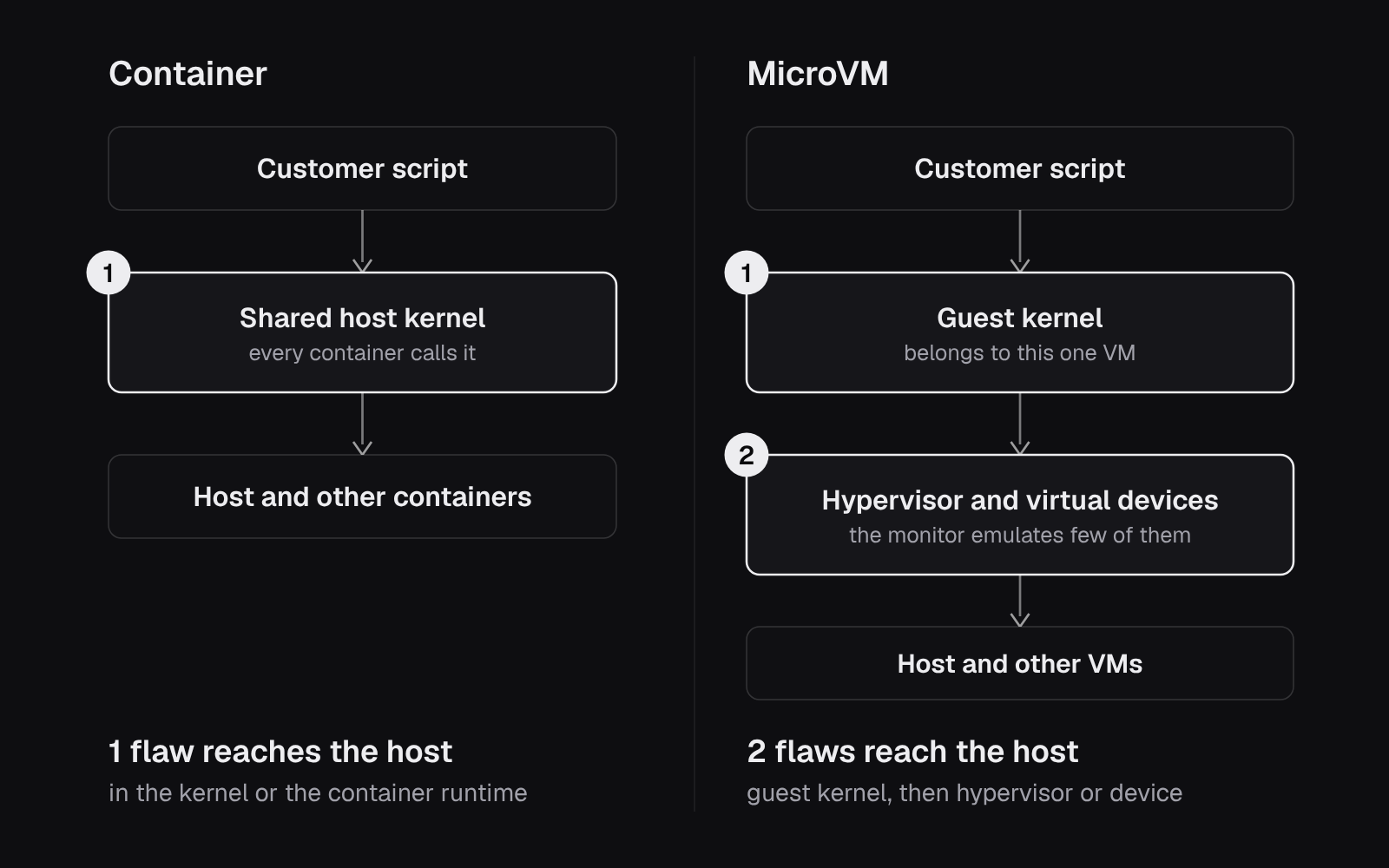
The diagram shows the count; the next section looks at what containers still do better.
What containers still do better than a microVM
A container is a process, so it has no kernel to boot and no memory reserved for a second operating system. That makes it the faster and denser choice, and the right one when you trust the code.
A microVM has to start a kernel, and designs differ in how short they make that. Firecracker’s specification targets 125 ms or less from the start call to the guest’s init, with 5 MiB or less of monitor memory overhead, measured on a 1 CPU, 128 MiB guest with a minimal kernel on bare-metal hosts. Your own numbers depend on the image, the kernel and the host.
Containers keep two more advantages:
- Density: no guest kernel per workload, so more workloads fit on one machine.
- Tooling: image builds, registries and orchestration grew up around containers.
For code your team wrote and reviewed, the shared kernel is a risk most teams accept. The trade changes once the author is someone else.
A decision table that starts from who wrote the code
The table below is our rule of thumb, not a measured result. It starts from the author of the code, since that decides how much you can assume about intent.
| Who wrote the code | Container | MicroVM | Reason |
|---|---|---|---|
| Your own team, reviewed | Fine | Optional | You trust the code, so the shared kernel is an accepted risk |
| A package from a public registry | Depends | Safer | Install scripts run code nobody on your team read |
| A customer’s script | Avoid on a shared host | Use | A hostile script targets the shared kernel first |
| Code an AI agent generated | Avoid on your own machine | Use | Nobody reads the code before it runs |
If your row says MicroVM, the next section shows one way to run it.
How virtx runs every sandbox as a microVM
virtx is an open-source tool (Apache-2.0) that runs tasks in disposable Linux VMs from your own Python, Node or Rust code. Each sandbox is a libkrun-based microVM, and libkrun is a library that lets a program run processes in an isolated environment, using KVM on Linux and HVF on macOS.
Each sandbox gets its own Linux guest kernel, running on the hardware virtualization your machine already has:
- Linux: KVM
- macOS: Hypervisor.framework, on Apple silicon only
- Windows: the Windows Hypervisor Platform, on Windows 11 with an x86_64 processor
Guests are always Linux. A sandbox is built from four parts, and each has its own lifetime:
- Image: the read-only base the sandbox starts from. Any OCI image works, whether it comes from Docker Hub or another registry, and virtx shares one read-only copy among every sandbox on the same layers.
- Writable layer: a disk of its own for each sandbox, stacked over the image and deleted when the sandbox is removed.
- Volume: storage kept under a name and mounted at a path, read-write or read-only, that outlives the sandbox.
- Network: on by default, where the guest reaches public addresses and not the host’s loopback or private ones.
network=Falseblocks outbound connections and name lookups.
On a local or self-run server, a sandbox gets 4 vCPUs and 4096 MiB of memory unless you set vcpus and memory_mib. The same code also runs against a server you host yourself (virtx-server-tcp): Client.connect(url, auth=BearerAuth(token)) takes the place of Client.spawn(). virtx cloud is in early access.
Running the customer’s script in a virtx sandbox with the network cut
The example below runs the fintech’s untrusted script in a Python image with the network off and a 30-second limit, then reads the output file back. It assumes clean.py writes its result to /work/result.csv. Install the Python client with pip install virtx, or use npm install @brekkylab/virtx for Node and cargo add virtx for Rust.
import asynciofrom pathlib import Path
from virtx import Client
async def main() -> None:    with Client.spawn() as client:        await client.pull_image("python:3.12-slim").complete()        sandbox = await client.create_sandbox(            "python:3.12-slim", vcpus=1, memory_mib=1024, network=False        )        try:            await sandbox.create_dir_all("work")            await sandbox.write_file("work/clean.py", Path("clean.py").read_text())            code = await sandbox.exec(                ["python", "/work/clean.py"], timeout_ms=30_000            ).complete(print=True)            print("exited", code)            print(await sandbox.read_text("work/result.csv"))        finally:            await sandbox.remove()
asyncio.run(main())
Each setting in that call limits one thing the script could otherwise do:
network=Falseblocks every outbound connection and name lookup, so the script has no way to send the data out.timeout_mskills the process when the time runs out and ends it with exit code137.remove()stops the VM and deletes whatever the sandbox wrote over its image.
Files travel through write_file and read_text, so the host never has to mount a folder into the sandbox. That keeps the exposure listed in the next section small.
What a microVM still leaves exposed to the host
A microVM draws a strong boundary and leaves a few doors open on purpose. libkrun’s own README states that the VM boundary does not restrict host resources exposed through devices, so every door is a decision you make.
- Shared folders and volumes: virtx enforces read-only on the host side, at the device, so a guest cannot remount its way out. Read-only limits what the guest writes and does nothing to limit what it reads.
- Network access: a VM that can reach the network reaches whatever that network reaches. The virtx default stops at public addresses, and
network=Falsecloses the door. - Open ports: a port you open lets you reach a service inside the sandbox through a
PortForwarder. The port’surlcarries its credentials, so keep it secret. - The hypervisor itself: it is software, so keep the host updated.
Treat the microVM as the strong outer wall and still decide what you put inside it.
Choosing the boundary that fits your code
Containers and microVMs differ in one place: whether the workload shares the host’s kernel. Share it when you trust the code and want the cheapest start. Give the workload its own kernel when someone else wrote the code or no one has read it yet.
To try the microVM side, follow the quickstart in the virtx repository, which builds an image, boots a sandbox, runs a command and removes the sandbox. For how a microVM boots and what it leaves out, read MicroVM: How a Lightweight Disposable Virtual Machine Works.
FAQs
Is a microVM more secure than a container?
A microVM gives untrusted code a stronger boundary, since the code runs against its own kernel and the host sits behind a hypervisor. It is not escape-proof, because the hypervisor and any device you expose can have flaws of their own.
Is a microVM the same thing as a virtual machine?
A microVM is a virtual machine with most of the emulated hardware removed. The hardware-enforced boundary stays, and the startup time and memory cost drop.
When is a container enough?
A container is enough when you wrote or reviewed the code and you control the host. In that case the faster start and lower memory use outweigh the extra boundary.
Can I use my existing Docker images in a microVM?
In virtx you can start a sandbox from any OCI image, pulled from Docker Hub or another registry, which is the same format Docker uses. You can also build an image from a Dockerfile, which virtx reads as a recipe: one stage, with only FROM, RUN, ENV and WORKDIR. Any other instruction is refused.
Which computers can run virtx microVMs?
A Linux machine with KVM available to your user, a Mac with Apple silicon, or a Windows 11 machine with an x86_64 processor. Hardware virtualization has to be enabled in the machine’s firmware on Linux.